
Keeping track of what your child does on an iPhone is harder than most parents expect. Apple’s ecosystem is relatively secure, which is great for privacy, but it also makes deep monitoring tricky unless you use the right tool. Screen Time, Apple’s built-in option, covers the basics, but it has obvious gaps: no location history, no message monitoring, no way to see what your child actually typed or searched.
Parents who need more granular oversight have to look beyond Apple’s defaults. When you start researching the best parental control app for iPhone the market looks crowded and the feature lists blur together quickly. Most apps promise the same things: location tracking, app limits, web filtering.
The real differences show up in how reliably each feature works, how the interface holds up under daily use, and whether the app actually stays running in the background without your child noticing or disabling it. After spending time with the leading options, three apps consistently stand above the rest: Parentaler, mSpy, and Eyezy, in that order.
Why the Right Parental Control App Matters More Than the Right Settings
A lot of parents start with Screen Time and walk away frustrated. The app can be bypassed with a factory reset, doesn’t log call history, and gives no visibility into third-party messaging apps like Snapchat or Telegram. That gap between what Screen Time promises and what it actually delivers is where dedicated parental control apps earn their place. The features worth prioritizing are real-time GPS tracking, keylogging, social media monitoring, remote access to photos and browsing history, and stealth mode so the app runs without constant negotiation with your child.
Parentaler: The Strongest All-Round Choice

Parentaler earns the top spot because it covers the widest range of monitoring features while remaining straightforward to set up and use. It works in stealth mode on iPhone, meaning your child won’t see an unfamiliar app sitting on their home screen, which matters a lot in households where older kids regularly check their device for anything suspicious.
Key Features
Real-time GPS tracking in Parentaler refreshes frequently and includes location history, so you can see not just where your child is now but where they spent the last few hours. The geofencing tool lets you mark safe zones, like home and school, and sends an alert the moment your child leaves or enters those boundaries.
Keylogging is where Parentaler genuinely separates itself from the competition. It records every keystroke typed on the device, including messages that are deleted before they’re sent, searches that never made it into browser history, and passwords. For parents worried about what their child is communicating in private, this is the most direct window available.
Social media monitoring covers iMessage, WhatsApp, Snapchat, Instagram, Facebook Messenger, and several other platforms. You get the actual message content, not just timestamps. Combined with the photo and video viewer that lets you remotely browse the device’s camera roll, Parentaler gives a level of visibility that most competing apps simply don’t match.
The dashboard is clean and the reports are easy to interpret without spending twenty minutes figuring out where to look. Setup takes under ten minutes via the Parentaler website.
mSpy: A Reliable Second Option with Strong Core Features
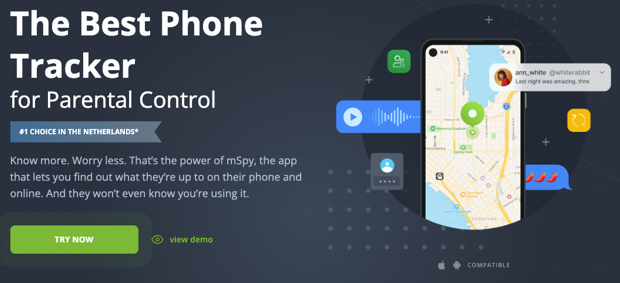
mSpy has been in this space longer than most competitors and has built a reputation for stability. It doesn’t match Parentaler’s keylogging depth, but its core monitoring tools are polished and dependable.
Key Features
Call and text monitoring in mSpy is thorough. You can see full call logs with timestamps and durations, read SMS and iMessage threads, and view contact details associated with each number. For parents focused primarily on who their child is talking to, this is well-executed.
Browser history tracking logs visited URLs across Safari and other browsers, along with search terms. You can also set keyword alerts that notify you when your child searches for specific words or phrases, which is useful for catching early warning signs around harmful content or risky behavior.
App usage reports show which apps your child opened, how long they spent in each one, and at what times. This is genuinely useful data for setting informed limits rather than blanket restrictions.
Where mSpy falls short is the GPS tracking, which is slightly less granular than Parentaler’s, and the social media coverage, which doesn’t always capture deleted messages. It’s a capable app, just not quite as comprehensive.
Eyezy: Solid Performance with a Modern Interface

Eyezy is the newest of the three and brings a well-designed interface that makes navigating monitoring data faster than older-style dashboards. It covers the monitoring basics capably, though it lacks the depth of the two apps above it.
Key Features
Phone Analyzer in Eyezy gives you a structured breakdown of contacts, call frequency, and text message threads. It’s a good starting point for understanding your child’s communication patterns without having to scroll through raw logs.
Magic Alerts lets you set keyword triggers across messages, browser searches, and emails. When a flagged word appears, you get a notification. This is similar to mSpy’s keyword system and works reliably.
GPS location tracking is accurate and the map interface is clean, though location history is stored for a shorter period than Parentaler’s. Eyezy also offers web filtering and app blocking, which are handled well.
Where Eyezy underperforms relative to its competitors is keylogging, which is limited, and Snapchat monitoring, which is inconsistent. For parents whose primary concern is location and web content rather than messaging, Eyezy performs well. For deeper social monitoring, it’s the weaker choice.
Quick Comparison Table
| Feature | Parentaler | mSpy | Eyezy |
| Keylogging | Full | Limited | Basic |
| GPS Tracking | Real-time + history | Real-time | Real-time |
| Social Media Monitoring | Comprehensive | Good | Moderate |
| Stealth Mode | Yes | Yes | Yes |
| Browser History | Yes | Yes | Yes |
| Keyword Alerts | Yes | Yes | Yes |
| Photo/Video Access | Yes | No | No |
| Setup Difficulty | Easy | Easy | Easy |
Conclusion
If you need one recommendation, choose Parentaler. It covers more ground than any competing app, particularly on keylogging and social media monitoring, and the stealth mode works consistently. mSpy is a strong alternative if you prioritize call and text monitoring over deeper social tracking, and it has a longer track record than most apps in this space. Eyezy suits parents with more modest monitoring goals, especially those focused on location and web content.
The right level of monitoring depends on your child’s age and the specific concerns you have. But if you’re going to invest in a parental control app, it’s worth choosing one that actually covers the areas where the real risks live: messaging apps, search history, and location, not just screen time limits that a ten-year-old can work around in an afternoon.
 There is a specific skill involved in explaining something clearly — one that is completely separate from actually knowing the subject. Fernando Shraderace has both. They has spent years working with child development insights in a hands-on capacity, and an equal amount of time figuring out how to translate that experience into writing that people with different backgrounds can actually absorb and use.
Fernando tends to approach complex subjects — Child Development Insights, Parenting Tips and Advice, Family Bonding Ideas being good examples — by starting with what the reader already knows, then building outward from there rather than dropping them in the deep end. It sounds like a small thing. In practice it makes a significant difference in whether someone finishes the article or abandons it halfway through. They is also good at knowing when to stop — a surprisingly underrated skill. Some writers bury useful information under so many caveats and qualifications that the point disappears. Fernando knows where the point is and gets there without too many detours.
The practical effect of all this is that people who read Fernando's work tend to come away actually capable of doing something with it. Not just vaguely informed — actually capable. For a writer working in child development insights, that is probably the best possible outcome, and it's the standard Fernando holds they's own work to.
There is a specific skill involved in explaining something clearly — one that is completely separate from actually knowing the subject. Fernando Shraderace has both. They has spent years working with child development insights in a hands-on capacity, and an equal amount of time figuring out how to translate that experience into writing that people with different backgrounds can actually absorb and use.
Fernando tends to approach complex subjects — Child Development Insights, Parenting Tips and Advice, Family Bonding Ideas being good examples — by starting with what the reader already knows, then building outward from there rather than dropping them in the deep end. It sounds like a small thing. In practice it makes a significant difference in whether someone finishes the article or abandons it halfway through. They is also good at knowing when to stop — a surprisingly underrated skill. Some writers bury useful information under so many caveats and qualifications that the point disappears. Fernando knows where the point is and gets there without too many detours.
The practical effect of all this is that people who read Fernando's work tend to come away actually capable of doing something with it. Not just vaguely informed — actually capable. For a writer working in child development insights, that is probably the best possible outcome, and it's the standard Fernando holds they's own work to.